
Best Enterprise Resource Planning Software
AutoCount Accounting
AutoCount Accounting Software is a powerful enterprise resource planning software solution built on Microsoft .NET Framework and SQL Server technology. Designed to meet modern business requirements, it combines stability, flexibility, and performance to help companies manage financial data efficiently and accurately.
With user-friendly navigation and comprehensive modules, AutoCount streamlines daily accounting tasks, improves reporting accuracy, and supports better business decision-making through an integrated enterprise resource planning software system.
U2 Asia Solutions’ Awards & Recognitions



Who is AutoCount For?
SMEs and growing businesses
Distributors and wholesalers
Companies managing high stock volumes
Businesses requiring GST-compliant accounting
Organizations needing multi-user accounting systems
Why Choose AutoCount?
AutoCount is built for businesses that need reliable accounting control without complexity. As a practical enterprise resource planning software solution, it supports multi-user environments and operates across network and internet connections while maintaining database stability for high transaction volumes.
From financial management to stock control and advanced reporting, AutoCount delivers a complete enterprise resource planning software platform that helps businesses manage operations more efficiently.

Core Features
Smarter Accounting for Growing Businesses

Easy to Learn & Use
AutoCount is designed with a familiar Windows-style interface and organized functionality for smooth navigation.
-
Customizable desktop-like main screen
-
Fully keyboard operable
-
Easy document entry
-
No double entry system
-
Customizable layout and report design

Strong Financial & Business Control
AutoCount helps businesses manage cash flow, credit, and operational control effectively.
-
Bank book management
-
Overdue invoice tracking
-
Advanced credit control
-
AR/AP contra
-
Multi-currency support
-
Project & departmental accounting
-
GST compliance

Fast Access to Information
Instant access to business data helps improve responsiveness and decision-making.
-
Account and stock inquiry
-
Drill-down to source documents
-
Advanced search function
-
Comprehensive reporting tools

Secure, Reliable & Scalable
Built on a strong SQL database structure, AutoCount ensures performance stability and long-term scalability.
-
Multi-level user access control
-
Backup & restore functionality
-
Data recovery tools
-
Supports network and internet environments
-
Scalable for multiple users

Efficient & Time-Saving
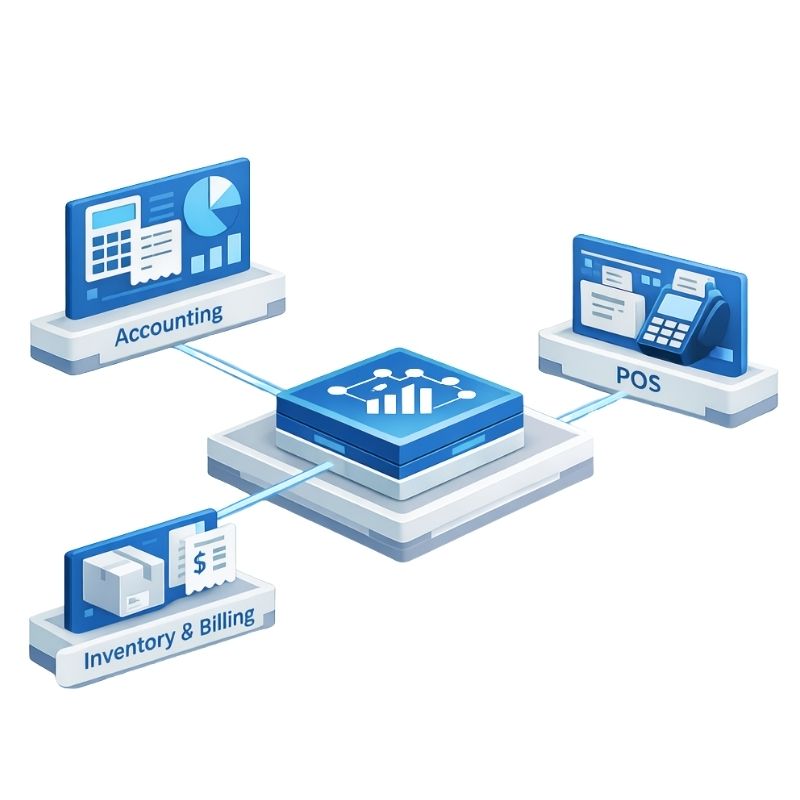
The system reduces manual work and improves accuracy through seamless integration across modules.
-
Real-time posting
-
Faster data saving
-
Integrated workflow between modules
-
Automatic calculations and processing

Data Sharing & Integration
Easily share and transfer data across applications.
-
Import from Microsoft Excel
-
Export reports and grid data
-
Email reports directly

Flexible & Customizable
Designed to adapt to different business structures and reporting needs.
-
No compulsory month/year-end closing
-
Unlimited document numbering formats
-
Built-in report designer
-
Customizable grids and layouts
Complete Accounting Module
General Ledger
Manage chart of accounts, journal entries, bank reconciliation, trial balance, profit & loss, balance sheet, and cash flow reporting.
Accounts Receivable (AR)
Handle invoicing, payments, credit/debit notes, refunds, aging reports, statements, and collection analysis.
Accounts Payable (AP)
Manage supplier invoices, payments, deposits, aging reports, creditor statements, and purchase analysis.
Stock & Inventory
Track stock movement, costing methods (FIFO, LIFO, Weighted Average, Fixed Cost, Most Recent), stock adjustments, and inventory reports.
Sales & Purchases
Manage quotations, sales orders, delivery orders, invoices, purchase orders, goods received notes, returns, and transaction analysis reports.
Advanced Capabilities
AutoCount also supports advanced business operations including:
-
Multi-location stock management
-
Multi-UOM support
-
Bill of Materials (BOM)
-
Consignment management
-
Batch number tracking
-
FOC & bonus point systems
-
Serial number tracking
-
Project & departmental accounting
-
Advanced financial reporting with budget comparison
-
Audit trail
Built-In Report Designer
Customize and generate business documents including:
-
Debtor statements
-
Official receipts
-
Payment vouchers
-
Quotations
-
Sales orders
-
Credit & debit notes
-
Ledger reports
Requirements
Standalone Installation
| Component | Mininum System Requirement |
|---|---|
| Operating System | Windows 2000 Professional |
| Windows XP (Recommended) | |
| Windows Vista (Recommended) | |
| Database | Workstation component of Microsoft SQL Server (MDAC 2.6 or above), SQL Express (Free) |
| Framework | Microsoft .Net Framework 2.0 |
| Processor | Minimum 1.0 GHz Pentium (Recommended Pentium 4) |
| Memory | 512 MB (Recommended 1 GB) |
| Monitor | SVGA with 65536 or more colors minimum 800×600 resolution Recommended 1024×768 resolutions with 24-bit colors |
| CD-ROM Drive | Required |
| USB Drive or CD-Writer | Required for backup |
| Other | Microsoft Excel XP/2003, Open Office 2.0 (Optional) |
| Free Disk Space | 1 Gbytes |
| Printer | A Windows compatible printer |
| Pointing Device | A mouse, supported by Windows |
Network Installation
| Component | Client Workstation | Server |
|---|---|---|
| Operating System | Windows 2000 Professional | Windows 2000 Professional |
| Windows XP (Recommended) | Windows XP (Running SQL Express) | |
| Windows Vista (Recommended) | Windows 2000 Server | |
| Windows 2000 Advanced Server | ||
| Windows 2003 Server (Running SQL Server 2005 or SQL Express) | ||
| Database | Workstation component of Microsoft SQL Server (MDAC 2.6 or above) | Microsoft SQL Server 2005 or SQL Express (Free) |
| Framework | Microsoft .Net Framework 2.0 | |
| Processor | Minimum 1.0 GHz Pentium (Recommended Pentium 4) | Pentium 3 1.0 Ghz or above (Recommended Pentium 4 2.0 Ghz) |
| Memory | 512 MB (Recommended 1 GB) | For a 5-user system: 1 GB (Recommended 2GB)(More memory will run faster) |
| Monitor | SVGA with 65536 or more colors minimum 800×600 resolution (Recommended 1024×768 resolutions with 24-bit colors) | SVGA with 256 or more colors minimum 800×600 resolution |
| CD-ROM Drive | Required for Installation | Required for Installation |
| USB Drive or CD-Writer | Required for Backup | Required for Backup |
| Local Area Network | Minimum 10 Mbps (Recommended 100 Mbps) | Minimum 10 Mbps (Recommended 100 Mbps) |
| Internet | Minimum 256 Kbps (Recommended 1 Mbps) | Minimum 256 Kbps (Recommended 1 Mbps) |
| Other | Microsoft Excel XP/2003, Open Office 2.0 (Optional) | |
| Free Disk Space | 300 Mbytes | 1 Gbytes |
| Printer | A Windows compatible printer | |
| Pointing Device | A mouse, supported by Windows |
Your Trusted IT Solutions Partner
No matter the technology challenge you’re facing, we’re always there to help improve your business productivity.
Years in Business
Softwares Sold
Solutions Provided
Happy Customers
Need an IT Solution Developed?
Let’s connect with our IT Solutions System Specialist to get started. Fill out the enquiry form, and we’ll respond to you shortly.